
28 lines
1.5 KiB
Markdown
28 lines
1.5 KiB
Markdown
# aWATTar
|
|
|
|
This plugin allows to receive the current energy market price from the [aWATTar GmbH](https://www.awattar.com/).
|
|
In order to use this plugin you need to enter the access token from your energy provider. You can find more
|
|
information about you accesstoken [here](https://www.awattar.com/api-unser-datenfeed).
|
|
|
|
## Available data
|
|
|
|
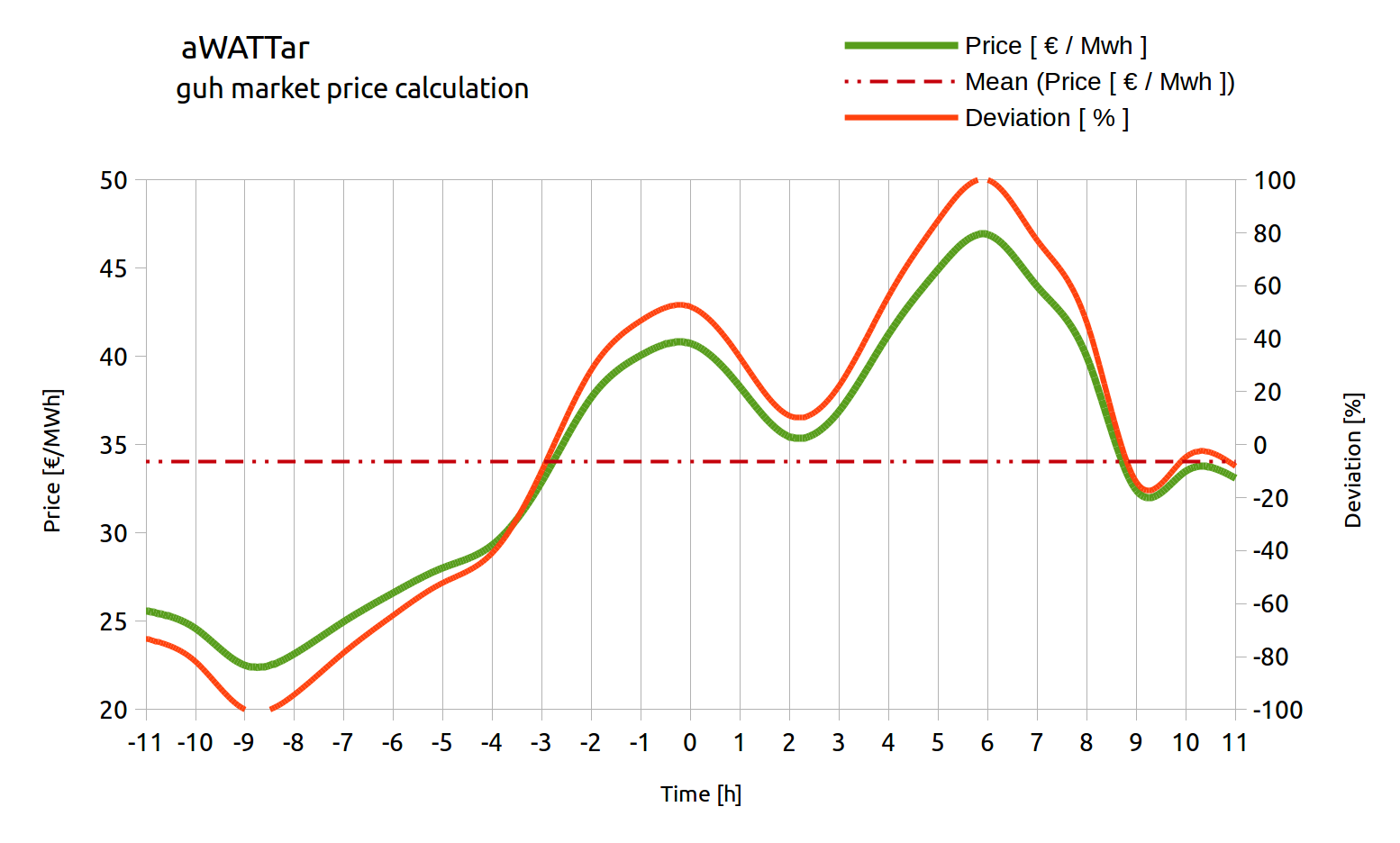
In following chart you can see an example of the market prices from -12 hours to + 12 hours from the current
|
|
time (0).The green line describes the current market price, the red point line describes the average
|
|
price of this interval and the red line describes the deviation. If the deviation is positive, the current
|
|
price is above the average, if the deviation is negative, the current price is below the average.
|
|
|
|
* -100 % current price equals lowest price in the interval [-12h < now < + 12h]
|
|
* 0 % current price equals average price in the interval [-12h < now < + 12h]
|
|
* +100 % current price equals highest price in the interval [-12h < now < + 12h]
|
|
|
|
|
|
|
|
# Heat pump
|
|
|
|
Information about the smart grid modes can be found [here](https://www.waermepumpe.de/sg-ready/).
|
|
|
|
In order to interact with the heat pump (SG-ready), this plugin creates a CoAP connection to the server running on the
|
|
6LoWPAN bridge. The server IPv6 can be configured in the plugin configuration. Once the connection is established, the
|
|
plugin searches for 6LoWPAN neighbors in the network.
|
|
|